Growth and Online Presence - 4 min read
How to Book a Barber Online: A UK Guide
Booking online is now the default way most people in the UK arrange a haircut. The fastest path is to browse a directory like TrustCut barbers, pick a slot that suits you, and conf
Booking online is now the default way most people in the UK arrange a haircut. The fastest path is to browse a directory like TrustCut barbers, pick a slot that suits you, and confirm it in a couple of taps.
What "online booking" actually means
Online booking is more than picking a date. A good system lets you:
- Choose a specific service (haircut, beard trim, skin fade, hot towel shave).
- See the actual duration of the appointment, not just a generic block.
- View the price up front, including any deposit.
- Pick a time when the barber is genuinely available.
- Get a confirmation email or message with the booking details.
If the system only offers a contact form or a "we will get back to you" promise, that is enquiry, not booking. Real online booking confirms the slot immediately.
Before you book
Spend two minutes lining up the basics. This saves rescheduling later:
- Decide which service you want, not just "a haircut".
- Pick a date and a backup date in case your first choice is gone.
- Check the barber's location, opening hours and parking.
- Have your phone or card ready if a deposit is required.
- Note any cancellation or no-show rules.
If you have not been to the shop before, look at recent photos and reviews so you know what to expect.
Step by step on TrustCut
The booking flow on TrustCut follows the same pattern as most modern UK systems, with a few details worth knowing:
- Search by location or barber name.
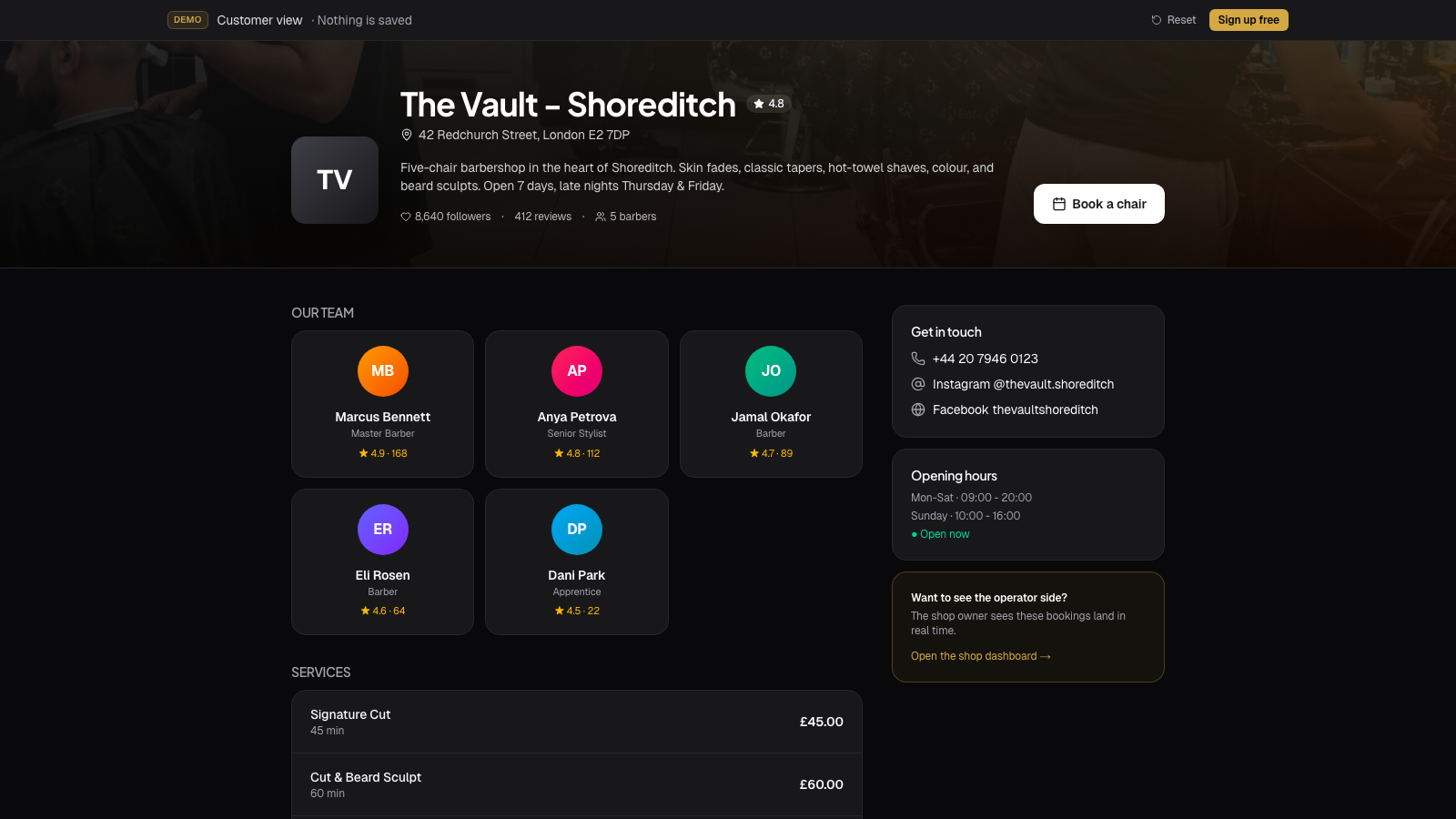
- Open the barber profile and scroll the service list.
- Tap a service to see the real duration and price up front.
- Pick a date, then a time from the available slots.
- Add your name, email and phone number.
- Pay the deposit if one is required, through a secure card payment.
- Get a confirmation by email.
You do not need an account to book as a guest, but creating one helps you see all your bookings in one place, save favourites and rebook in a couple of taps. Reviews you leave after a completed booking are flagged as a verified visit, so your feedback carries more weight for the next client reading it.
Deposits, payments and cancellations
Many UK barbers now ask for a small deposit, especially for new clients or longer services. The most common patterns are:
- A small fixed amount, often between £5 and £15.
- A percentage of the service price, often 20 to 50 per cent.
- Full prepayment for shaves, group bookings or premium services.
Deposits are normally taken off the final price at the appointment. If you cancel inside the policy window, most barbers will refund or move the deposit to a new booking. Always read the policy before confirming the booking.
What to do after the booking
Once you have a confirmation:
- Save the date in your calendar.
- Add the shop address to your maps app.
- Note the cancellation deadline in case plans change.
- Reply to reminder messages so the barber knows you are coming.
- If you are late, ring the shop rather than just turning up.
If you need to cancel, do it as early as you can. Other clients on a waiting list will appreciate the slot, and most barbers are far more flexible with people who give notice.
When to book a phone call instead
Online booking covers most needs, but a few situations are better handled with a quick message or call:
- Booking for several people at once.
- Asking about a corrective cut after a poor experience elsewhere.
- Special-event timing, like wedding morning prep.
- Accessibility requirements that need a quiet chair or extra time.
A good barber would rather hear from you first than try to fix a misaligned booking on the day.
Simple rule
If a barber takes online bookings, the easiest way to lock in a slot is the way they prefer. Pick the service, pick the time, confirm. Save phone calls for the situations that genuinely need them.